
Can ChatGPT Teach You Thai? What AI Gets Right and Wrong
Can ChatGPT teach you Thai? An honest 2026 look at where AI helps you learn Thai, where it fails on tones and grammar, and how to use it safely.
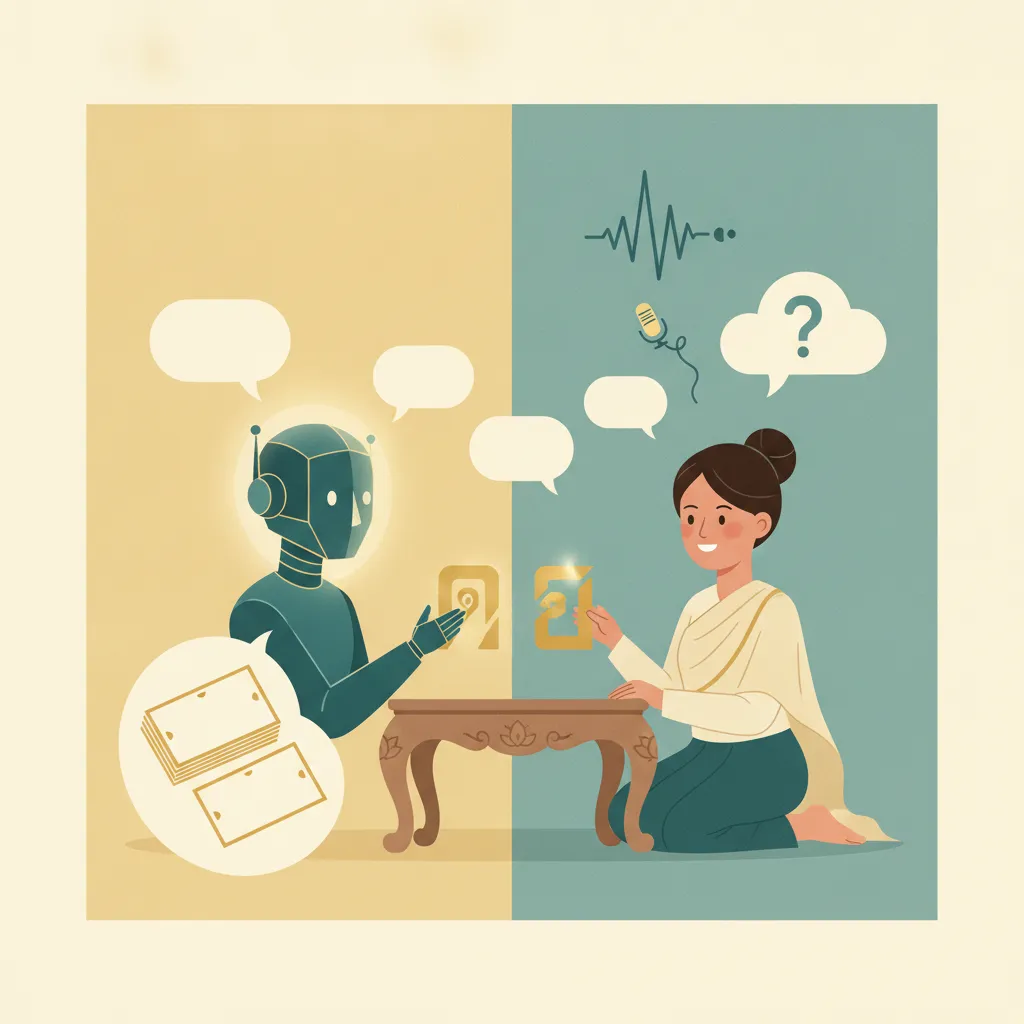
If you want to learn Thai with ChatGPT, it depends entirely on what you ask it to do. As an explainer, a generative AI is one of the best Thai resources that has ever existed—endlessly patient, available at 2 AM, and happy to rephrase the same rule five different ways until it clicks. As a pronunciation coach for a tonal language, it’s the resource most likely to teach you something wrong without either of you noticing.
This isn’t an anti-AI piece. We build a Thai learning tool, and we use AI ourselves. But “just ask ChatGPT” has become the default advice for new learners, and it’s only half-right in a way that matters. Thai punishes the specific things large language models are weakest at. This piece sticks to specifics: what AI does well for Thai, where it gets Thai wrong, and how to use it without picking up bad habits.
Where ChatGPT Helps You Learn Thai
First, what AI does well—and it’s a lot.
It explains grammar better than most textbooks
Thai grammar is famously forgiving—no verb conjugation, no plurals, no gendered nouns—but it has its own logic that trips up English speakers: particles, classifiers, serial verbs, and a word order that drops anything context can supply. This is where AI shines. Ask it why ไปไหน(bpai nǎi) literally reads as “go where” with no “you,” and you’ll get a clear, correct explanation on the first try. Ask it to contrast แล้ว(láeo) with อยู่(yùu) and it’ll lay out the aspect system in plain English. AI is strong here.
For conceptual “why does Thai do this” questions, AI is fast, available, and usually right. That’s a category of help that used to require a patient tutor and a lot of awkward repetition.
It’s a tireless generator of example sentences
Vocabulary sticks when you see a word in many different sentences, not just on one flashcard. Ask AI for ten sentences using อร่อย(à-râwy) or เผ็ด(phèt) at different politeness levels, or to write a short dialogue for ordering coffee, and it’ll produce material instantly. Used as a sentence mill—give me more contexts for this word—it’s excellent, and it scales in a way no phrasebook can.
It’s a low-stakes conversation partner
The hardest part of speaking a new language is the fear of looking foolish. Typing back and forth with an AI removes that fear entirely. You can role-play a market negotiation or a hotel check-in, make mistakes nobody sees, and ask “what should I have said?” without holding up a real conversation. For building the patterns of a conversation—what comes next, how to respond—this rehearsal is valuable.
It translates what you read, with nuance
Unlike a pure translation tool, AI can explain why a translation is what it is. Paste a Thai sign or a LINE message and it’ll not only translate it but flag how formal or casual it is, the mood, and the cultural subtext. That’s a real step up from the literal output you get elsewhere—and a close cousin of the problems we covered in why Google Translate fails for Thai, except that here the AI can at least talk about the nuance it’s flattening.
Where AI Gets Thai Dangerously Wrong
This is the half the “5 ways to learn Thai with AI” listicles skip.
Tones and pronunciation: the failure that matters most
Thai is tonal. The same syllable at a different pitch is a different word. ข้าว(khâao) and ขาว(khǎao) differ only in the shape of the pitch. เสือ(sěua) and เสื้อ(sêua) are separated by nothing your eyes can catch in romanization. Get the tone wrong and you haven’t said the word with an accent—you’ve said a different word.
AI fails at Thai tones in both directions. A general-purpose assistant improvising Thai speech still isn’t trustworthy for tones; the spoken output frequently lands the wrong pitch contour, so imitating it means imitating a mistake. Worse, the voice features can’t actually hear your tones well enough to correct them. It will cheerfully tell you “great job” on a sentence a Thai speaker wouldn’t understand, because evaluating tonal accuracy from your microphone is a much harder problem than producing plausible-looking text.
For an honest tonal language, that combination is the worst case: a coach that models the skill imperfectly and can’t grade you on it either. This is why we keep pointing tone work back to clear audio in our Thai tones guide—your ear needs a reference it can hear the same way twice. A chat model makes up a new one every time you ask.
Romanization roulette
Thai has no single official romanization, and AI knows all of the competing systems—which means it mixes them. Ask for the romanized form of เงิน(ngoen) three times across a session and you can get ngern, ngoen, and ngeun—one word, three spellings. For a beginner who can’t yet read Thai script, that’s corrosive: you’re never sure whether two spellings are two words, or one word written two ways.
Confident, wrong grammar
English makes up the overwhelming majority of what these models trained on. Thai is, in machine-learning terms, a lower-resource language, and model performance is measurably less consistent there. Studies of multilingual translation models have found that hallucination—fluent output that’s simply false—becomes far more common for low-resource language pairs, with average rates exceeding 10%, and the lower-resource the language, the less the model leans on your actual input (Hallucinations in Large Multilingual Translation Models). The gap is real enough that researchers have built Thai-specific models like Typhoon precisely because general-purpose ones underperform on Thai (Typhoon: Thai Large Language Models).
In practice that looks like a perfectly fluent Thai sentence with a misused classifier, an invented particle, or a level of politeness that’s wrong for the situation—delivered with total confidence. A beginner has no way to catch it.
No memory, no spacing, no accountability
Even setting accuracy aside, a chat window isn’t a study system. It doesn’t track which words you’re about to forget, it doesn’t resurface them at the right interval, and it doesn’t notice that you’ve avoided every sentence with a hard vowel for two weeks. Memory for vocabulary is built by spaced retrieval, and a conversation has no schedule. That’s a structural gap, not a temporary limitation—and it’s the whole reason Thai-specific spaced repetition exists.
A Test You Can Run in Five Minutes
You can test this yourself in five minutes. Open your AI of choice, run these, and you’ll feel the seam between what it’s good at and what it isn’t.
Where AI helps vs. where it misleads
| Ask the AI to… | Trust it? | Why |
|---|---|---|
| Explain when to use ครับ vs ค่ะ | Yes | Conceptual grammar—its strong suit |
| Generate 10 sentences with a word | Yes | Pattern variety scales well |
| Pronounce a word so you can copy it | No | Its spoken voice gets Thai tones wrong |
| Grade your spoken tones | No | It can’t reliably hear them |
| Give the “correct” romanization | With care | It mixes systems within a session |
| Confirm an idiom or slang is natural | Verify | High hallucination risk in Thai |
| Draft a message you’ll have a Thai friend check | Yes | Written, reviewable, low-stakes |
The rule that falls out of this table is simple: trust AI for understanding, never for your ears. Anything that becomes sound, or that depends on Thai being natural rather than merely grammatical, needs a Thai speaker behind it.
How to Learn Thai With AI Without Picking Up Bad Habits
You don’t have to choose between “AI for everything” and “AI for nothing.” Put it in its lane.
- Use it to understand, then verify what matters. Let AI explain the grammar and generate examples, but check anything tonal, idiomatic, or culturally loaded against a Thai speaker or a trusted reference before you commit it to memory.
- Don’t take pronunciation from the chat window. Get your tones from a Thai speaker, a teacher, or a course built for listening. Read the sentence the AI built, then hear it from one of those and copy that. The AI wrote the script; it shouldn’t perform it.
- Lock your romanization. Pick one system and tell the AI to use it every time—or better, start reading Thai script early so you stop depending on Latin letters that were never designed for Thai.
- Feed your spaced repetition, don’t replace it. AI is a fantastic source of example sentences and explanations. Move the keepers into a review system that actually schedules them, because the chat won’t remember them tomorrow and neither will you.
- Treat its Thai as a first draft. Confident output is still a draft until a trusted source signs off. The faster you internalize that, the safer AI becomes.
Where AI Fits in a Real Thai Study System
Using AI isn’t the problem. The problem is leaning on one chat window for pronunciation and memory too, when it only does the explaining well.
It’s a brilliant, slightly unreliable study buddy. Lean on it for the things text does well: clearing up a grammar point, spinning up example sentences, rehearsing a conversation in writing, making sense of a sign. Then hand the tonal, spoken, must-be-remembered work to tools built for it. Thai audio that doesn’t change between answers gives your ear something to calibrate against. Tone-aware flashcards make pitch part of what you’re recalling, not an afterthought. Spaced repetition schedules your reviews so words actually stick. That division of labor is the thinking behind Jam Kham vs Duolingo vs Anki—different tools are good at different halves of the problem, and Thai needs both halves done right.
It’s the design philosophy behind Jam Kham: keep the parts of Thai that a chat window mangles—tones, pronunciation, what’s actually natural to say—anchored to clear Thai audio, tone marked on the card itself, and a review system built around how memory works, so the time you spend studying turns into Thai you can actually use.
Ready to put AI in its lane and learn the parts it can’t teach you? AI can explain a tone all day; putting it in your ears and your memory is the job of a course built for Thai.
Start reading Thai today
Tone-aware cards, clear audio, and spaced reviews built for Thai — the layer AI can't give you. Start with the alphabet, first 3 modules free.
Start the reading course →First 3 modules free — no card, and they don't expire.
Related reading: Why Google Translate Fails for Thai | Why Thai-Specific Spaced Repetition Matters | Jam Kham vs Duolingo vs Anki | Thai Tones Guide
Frequently Asked Questions
Can ChatGPT teach you Thai?
Partly. ChatGPT is excellent for explaining Thai grammar, generating example sentences, and rehearsing conversations in text. It is unreliable for pronunciation and tones, can mix romanization systems, and produces confident but wrong grammar more often in a lower-resource language like Thai. Use it for understanding, not for learning how words should sound.
Is AI good at teaching Thai tones?
No. A chat model’s Thai voice output frequently produces the wrong tone, so imitating it teaches mistakes, and voice features cannot reliably hear your tones to correct them. Learn tones from a Thai speaker, a teacher, or a course built for listening, and use AI only to explain how the tone system works.
Why does ChatGPT give inconsistent Thai romanization?
Thai has no single official romanization, and AI models know several competing systems, so they mix them across a session. The same word can come out spelled different ways. Pick one system and ask the AI to stick to it, or start reading Thai script so you do not depend on romanization at all.
What’s the best way to use AI to learn Thai?
Use AI for understanding: grammar explanations, example sentences, translating what you read, and low-stakes written practice. Verify anything tonal or idiomatic against a Thai speaker or a trusted reference, get pronunciation from a Thai speaker or a teacher, and move words you want to keep into a spaced repetition system, since a chat window will not remember them tomorrow.